Linked and Local Parts
Some components have an exact manufacturer part number to look up, and some do not. PartsBox models both: a linked part for anything with an MPN, and a local part for everything else.
What a linked part gives you
A linked part connects to live distributor data. Give it a manufacturer part number and you get a datasheet, specifications, a package thumbnail, and current pricing and availability from distributors, without entering any of it by hand. When a distributor's price or stock changes, the linked part shows the new figure, so BOM pricing and purchasing work from current numbers rather than a copy that ages.
The specifications do more than fill a screen. PartsBox turns them into automatic tags — component class, package, mounting style — so a linked 0805 resistor is filterable as #0805 and #resistor from the moment you create it, with no data entry.
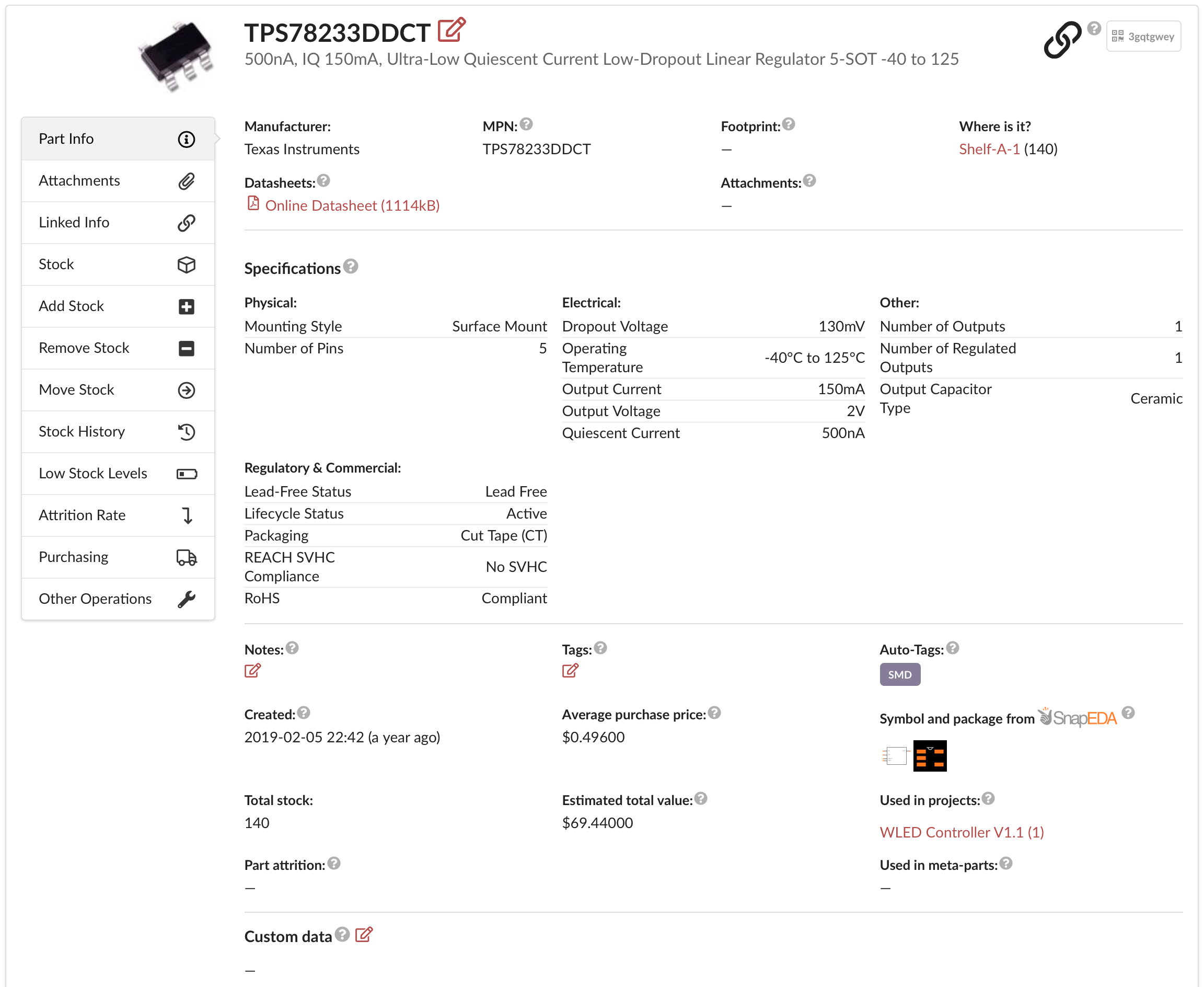
Link only an exact component. 'NE555PWG4' from Texas Instruments is a good linked part; a no-name NE555 in a DIP package is better kept as a local part, because hundreds of versions of that chip exist and yours may differ from the one a distributor lists.
Two names for one part
By default a linked part's name is its MPN. On a commercial plan you can rename it or give it an internal part number; PartsBox keeps both, shows both in tables, and search finds the part by either one. Pricing, purchasing, and BOM matching keep working from the MPN underneath.
A local part is yours completely
A local part has no online identity. Use it for generic passives, no-name components, PCBs, mechanical parts, cables, enclosures, and anything without an exact number to look up. Nothing external changes a local part — its name, description, footprint, and fields are whatever you enter, and only the name is required to create one.
A local part can still carry prices. Add your own offers, each with a vendor, price breaks, and a currency, and the part takes part in BOM pricing and purchasing like any linked part.
Everything else works the same
Both kinds hold stock across storage locations, custom fields, attachments, and a permanent stock history, and both work in BOMs, purchasing, and builds. When a part reaches the end of its life, archive it: it disappears from everyday tables and searches but remains in build histories. Deleting is only for parts created by mistake and never used.
These are two of PartsBox's four kinds of part. A meta-part groups interchangeable parts — linked or local — under one name, so a shortage on one member never blocks a build. A sub-assembly part is the stock a build produces, reusable as a component in another project.
Linked and local parts are in every plan, including the free Maker plan. On the free plan a linked part keeps its MPN as its name; renaming it and adding an internal part number start on the Essentials plan.