Attaching Documents to Parts
A part is more than a row in a table. It comes with datasheets, application notes, mechanical drawings, 3D models, test reports, photos, and certificates. In PartsBox these live with the part itself, not in a folder hierarchy on someone's machine.
You can attach files to parts, lots, projects, orders, storage locations, offers, and builds. Drag a file onto the Attachments section and it uploads and stays with that object. Anyone on your team reaches it the same way you do, from the same place, always the current version — there is nothing to share, sync, or hunt for across drives.
A document belongs with its object
Keeping a document with the object it describes is the whole point. A datasheet belongs to the part. A test report belongs to a specific lot. An incoming-inspection photo belongs to the order it arrived on. A certificate of conformity belongs to the lot it certifies, and a test record from a production run belongs to the build. When the documentation sits where the work happens, you find it by looking at the thing you are already working on, instead of remembering what you named a folder three years ago.
What you can attach
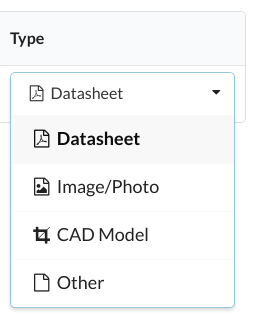
There is no fixed list of accepted file types. Datasheets and application notes (PDF), images (JPG, PNG), CAD and 3D models (STEP, DWG, DXF, IGES), invoices, and quality records all attach the same way. Each attachment carries a type — datasheet, image or photo, CAD model, or other — so a part with a dozen files stays organized.
A linked part already comes with an online datasheet link from distributor data. Attach your own copy when you need the exact revision you validated, so the document your production relies on does not change underneath you.
Attachments and the JSON export
Attachments are stored with your database, but they are not part of the single-file JSON export — the export covers the data you entered, and attached files are downloaded individually. If you maintain an off-site copy of everything, download the attached files separately.
Attachments start on the Essentials plan.