Table Filtering
A parts table can hold tens of thousands of rows. Filtering narrows it to the ones you mean: every 0805 resistor under 1 kΩ, every order still open, every lot that expires this quarter. Filtering works the same way across PartsBox — on parts, projects, orders, storage, lots, and builds — so what you learn on one table applies to all of them.
Two tools work together, and they combine: a search box on the table matches text anywhere in the visible columns as you type — the fastest way to find a row when you remember only part of it — and a filter builder sets structured conditions on individual columns, for the questions a text match cannot answer. Search within a filtered table and you narrow the filtered set further.
The operators match the field. Numbers take is less than, is greater than, is equal to, and the rest; text takes contains, is equal to, and regular-expression match; any column can be tested for is defined or is not defined. Tags and custom fields filter too, with tag operators for contains all of these tags, contains any of, and has exactly these and no other. Numeric values accept engineering prefixes, so you can type 10k or 1u directly.
Conditions combine with AND and OR, and you can nest groups to build a precise query: resistors that are 0805 and either 1% or 0.1%. Once you have a filter worth keeping, save it as a preset and load it again in one click, or export the filtered rows to CSV or PDF.
A filter under construction — parts tagged 0603 that are either in stock or on order:
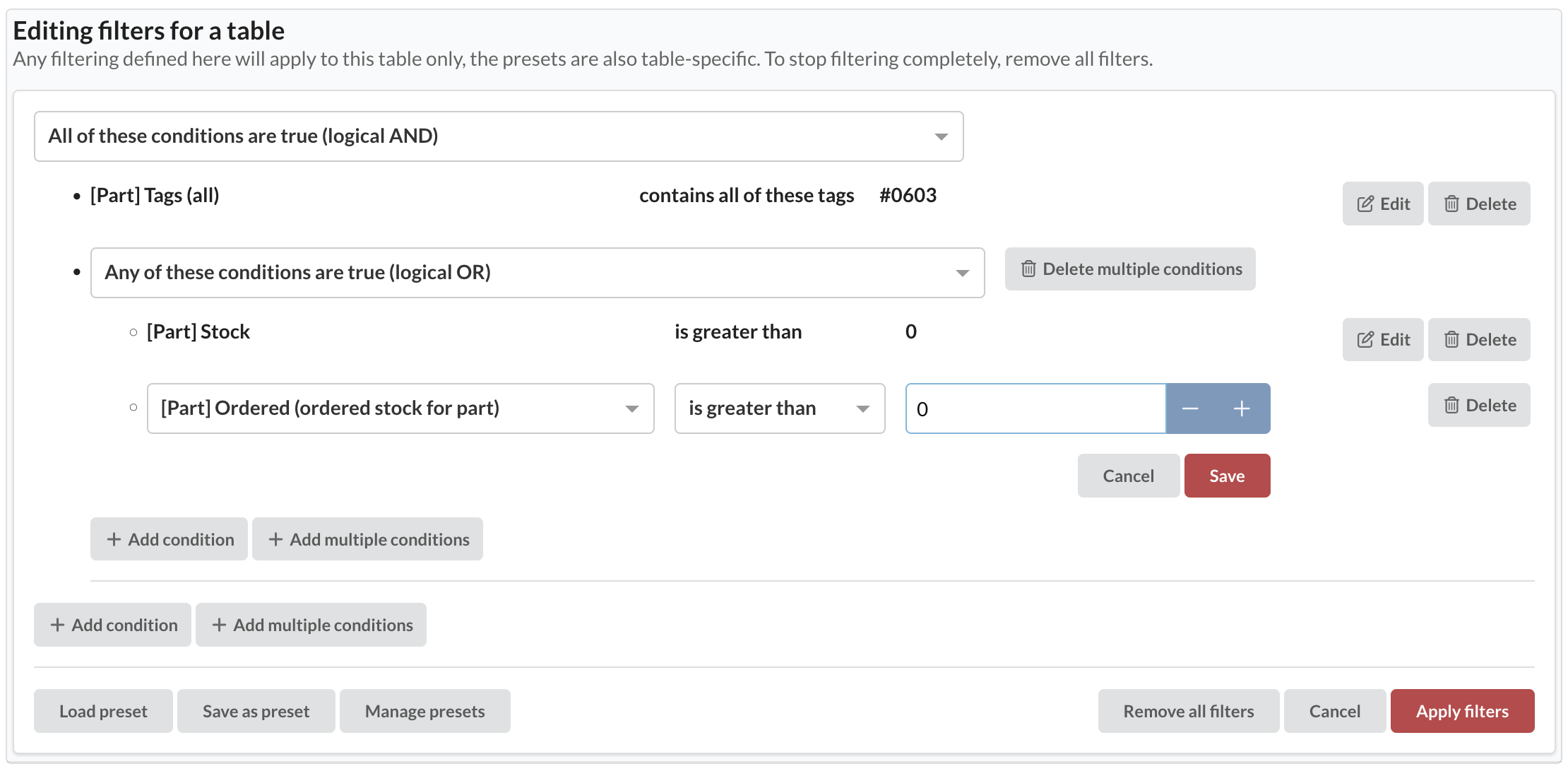
Table filtering is in every plan, including the free Maker plan.