Role-Based Access Control (RBAC)
In a small company, three access levels — read-only, read/write, and admin — are usually enough. As a company grows, that stops being true: you want each person to do exactly their job and nothing else. Role-Based Access Control lets you define your own roles, each a precise set of permissions, and assign them to users.
Permissions down to single operations
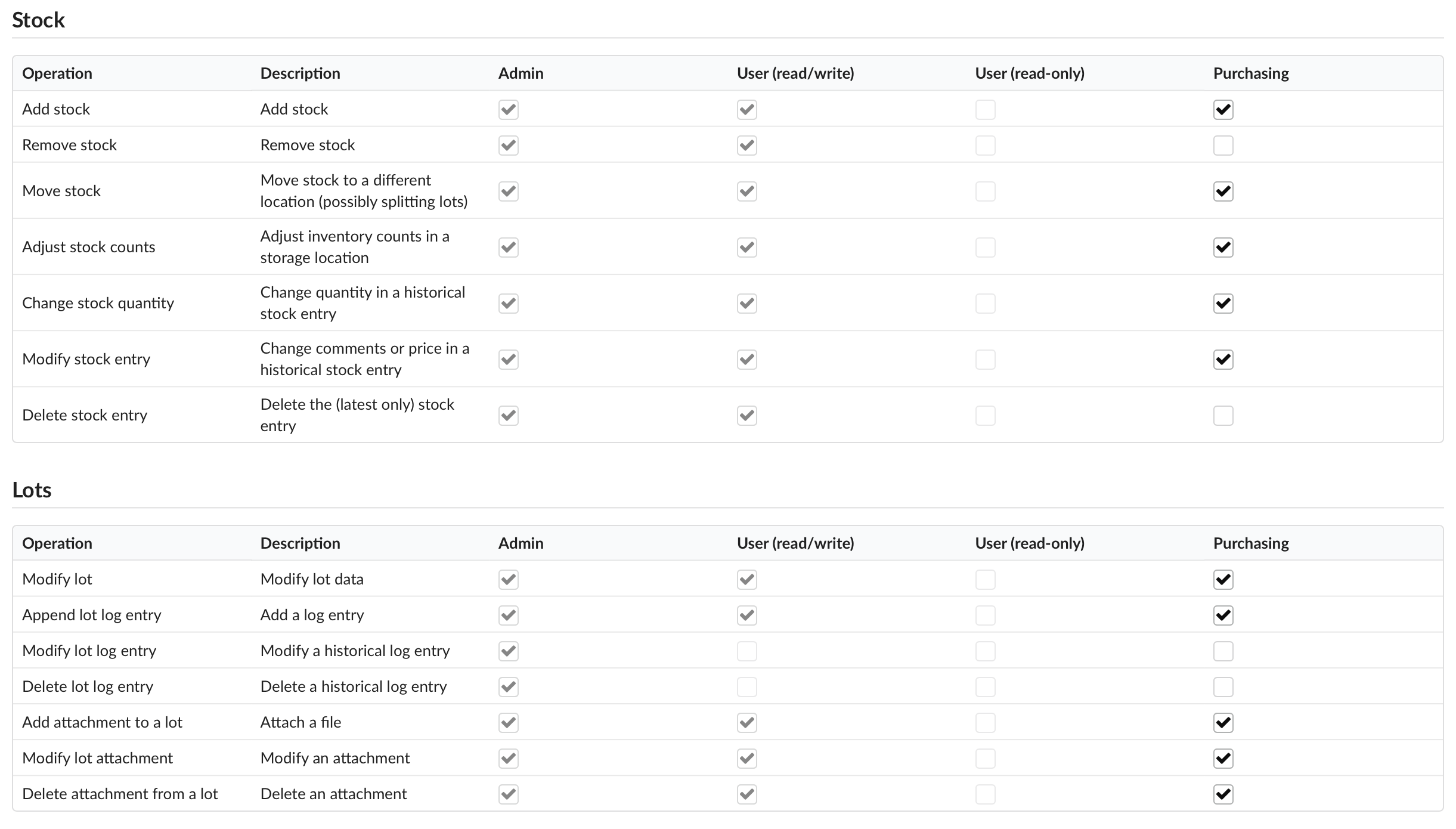
A role controls access to specific actions and data, not just broad read or write. Permissions cover things like creating, editing, and deleting parts; adding and moving stock; creating and modifying projects and BOMs; performing builds; and managing users. You combine them however your work requires.
Two examples:
- A Receiving role can add and move stock, but cannot change projects or run builds — right for someone booking in incoming parts.
- A Production role can build projects that others have defined, but cannot edit the project definitions — so the floor can assemble without accidentally changing a BOM.
You are not limited to the three built-in roles (Admin, Read/Write, Read-Only), and you can define as many of your own as you need.
People and machines alike
Roles apply to API keys as well as people: each key is its own named user with a role, so an automated station gets exactly the permissions its job needs and nothing more. A test rig that records builds cannot delete parts, any more than the person next to it can.
For regulated work, RBAC is one of the controls an auditor expects — each user uniquely identified and limited to their function — and it pairs with the audit trail, which records what every account actually did. See Title 21 CFR Part 11 for how the pieces fit together.
Role-Based Access Control is on the Control plan.